The Free AI Toolkit: 9 Tools That Can Actually Make You Money
A practical guide to 9 free AI tools: what each one actually does, the specific side hustle it unlocks, and the honest limitations you need to know before you start.
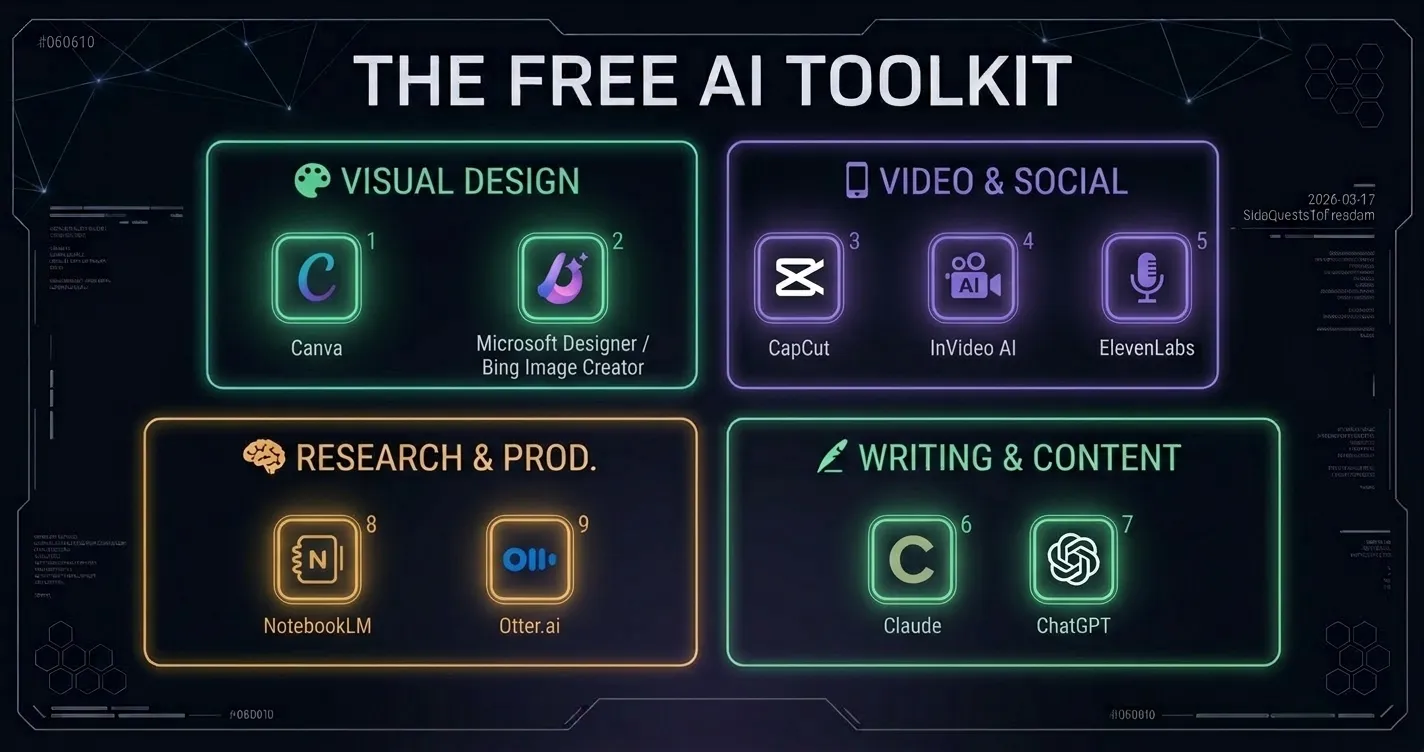
Here’s something I’ve been thinking about: the barrier to starting a side hustle in 2026 is genuinely not money.
It used to be. Getting a professional voiceover required a studio. Designing a product required expensive software. Editing video required skills that took years to develop. Building software required knowing how to code.
Most of those barriers are gone (or at least dramatically lower) and the tools responsible for that shift are largely free to use.
This post is my working toolkit. Not a theoretical list of “here are 50 tools you could try”, but the specific tools I’m actually using or seriously testing, the exact hustle each one unlocks, and the honest limitations you’ll hit so you’re not surprised when you get there.
I’ve grouped them by what you’re trying to do, not just by category.
🎨 Visual & Graphic Design
1. Canva (Free Tier)
Canva needs no introduction, but most people dramatically underuse what the free tier actually offers. Magic Media (text-to-image generation), background removal, a massive template library, and brand kit basics are all accessible without paying.
The Hustle: Digital product seller
Use Canva’s template system to create bundles (Pinterest pin templates, Instagram story sets, Notion dashboard covers, digital planner pages) and sell them on Etsy or Creative Market. The key insight: you’re not selling a single design, you’re selling an editable system that buyers can customize. That’s what drives repeat purchases and 5-star reviews.
A strong template bundle on Etsy in a specific niche (wedding planning, content creator tools, budget tracking) can sell for ₱300–₱1,500 per download, indefinitely.
The Honest Limit: Magic Media has a monthly generation cap on the free tier. You’ll also hit the Pro wall quickly if you want to resize designs across formats or access premium elements. For a pure template-selling operation, free tier is workable. For anything client-facing at volume, you’ll want Pro eventually.
2. Bing Image Creator / Microsoft Designer (Free)
Powered by DALL-E 3, completely free with a Microsoft account. The quality ceiling here is higher than most people expect from a free tool.
The Hustle: Niche stock photography and texture packs
Generate hyper-specific textures and background scenes that small businesses actually need for their ads, things like “close-up of aged leather grain,” “frosted glass panel with soft bokeh,” “dark wood desk with coffee ring.” These are unglamorous but constantly in demand by people making social content who need backgrounds that don’t look like stock photos.
Bundle 20–30 related textures into a pack and sell on Creative Market, Gumroad, or even directly on Etsy as a digital download.
The Honest Limit: Bing Image Creator uses a “boost” credit system. You get fast generations up to a daily limit, then slower generation mode kicks in. It’s not a hard stop, just slower. For texture generation where you’re batching work on weekends, this is easily workable.
📱 Video & Social Media
3. CapCut (Free, App/Desktop)
CapCut has quietly become the standard short-form video editor, not just for creators but increasingly for small businesses trying to compete on social media. The AI features that matter: Auto-Captions (genuinely accurate, saves significant time), Script-to-Video, AI background removal, and trending audio matching.
The Hustle: Short-form video editor for small businesses
Many small business owners have raw footage on their phones (product demos, behind-the-scenes clips, testimonials) but have no idea how to make it perform on TikTok or Instagram. You offer a service: send me 5 minutes of raw footage, I’ll return 3 optimized clips with captions, trending audio, and proper formatting.
You’re not just editing. You’re applying the formula that makes short-form video work: hook in the first second, captions for silent viewers, proper aspect ratio, matched audio. That’s a learnable skill with a real market.
The Honest Limit: CapCut’s free tier watermarks exports at certain resolutions. For personal content this doesn’t matter. For client work you’ll need to work around this or upgrade. The desktop version generally has more flexibility than mobile on free tier.
4. InVideo AI (Free Credits)
Type a prompt, get a complete video: script, stock footage, voiceover, captions. The AI selects and sequences everything. For someone who has never edited video in their life, the output quality is genuinely impressive.
The Hustle: Faceless YouTube channel creator
“Top 10” and educational channels don’t require you to appear on camera, own a microphone, or know how to edit. You provide the ideas and the prompts; InVideo handles the assembly. A faceless channel in a specific niche (personal finance, history, technology explanations, travel) can be monetized through YouTube AdSense once you hit the threshold, then supplemented with affiliate links in the description.
This is a slow-burn hustle. YouTube monetization takes time and consistent uploads. But once a video is up, it earns passively. The math works if you’re patient.
The Honest Limit: Free credits run out quickly with video generation. InVideo’s free tier is genuinely limited for high-volume use. Treat it as a testing ground to validate your niche and workflow before deciding if the paid tier makes sense for you.
5. ElevenLabs (Free Tier)
This is the tool I’m most excited about testing personally. The voice quality is in a different league from anything else free, it sounds like a real human narrator, not a robot reading text.
The Hustle: Voiceover services for content creators and businesses
Explainer videos, YouTube intros, podcast ads, e-learning narration, corporate training content. All of these need voiceovers, and hiring a human voice actor is expensive. With ElevenLabs, you can deliver studio-quality audio in minutes.
On Fiverr, voiceover gigs regularly command $50–$200 per project. The speed advantage of AI means you can deliver fast, take on more projects, and earn more per hour than a traditional voice actor.
My plan: Test the free tier to get comfortable with the tool and validate that the market exists. Upgrade to Starter ($5/month) before taking on the first paid project. That $5 investment is recoverable with a single voiceover gig.
✍️ Writing & Content Strategy
6. Claude (Free Tier)
I use Claude daily and I’m obviously biased here, but I’ll try to be genuinely useful rather than promotional.
What sets Claude apart for writing work isn’t just quality, it’s the context window. You can paste in an entire client website, a brand style guide, or months of previous writing, and ask Claude to produce content that genuinely matches the existing voice. For ghostwriting and content work, that’s a meaningful edge over tools that hit a wall after a few paragraphs.
The Hustle: Human-tone copywriting and ghostwriting
Businesses need blog posts, email sequences, social captions, product descriptions, and newsletters constantly. As an AI-assisted writer, you’re not just delivering words faster. You’re delivering strategically structured content that sounds like the client wrote it.
The market split: volume content (SEO articles at $25–$80 each) and premium content (brand voice work at $150–$500+ per piece). Start with volume to build a portfolio, move toward premium once you have testimonials.
The Honest Limit: Claude’s free tier has daily usage limits. For light client work it’s manageable. For high-volume production work, Claude Pro ($20/month) pays for itself quickly if you’re billing clients for content.
7. ChatGPT (Free Tier, GPT-4o)
Where Claude tends to excel at long-form writing with a natural voice, ChatGPT’s strengths lean toward structured outputs, technical writing, and tasks where you need a specific format reliably produced. They’re complementary tools, not competing ones.
The Hustle: Cold outreach and technical writing specialist
LinkedIn cold outreach for recruiters and consultants is a high-value, repeatable service that most people do terribly. You feed ChatGPT a target’s public profile, their company context, and the client’s offering, and it generates a personalized hook that doesn’t feel like a template.
For technical writing: API documentation, user guides, help center articles, these pay well ($0.10–$0.25/word at specialist rates) and AI dramatically accelerates the drafting process.
The Honest Limit: GPT-4o on the free tier has usage caps that reset periodically. For regular client work, consider whether the production limits will interrupt your workflow. The $20/month ChatGPT Plus subscription is worth evaluating if this becomes your primary income tool.
🧠 Research & Productivity
8. NotebookLM (Free, Google)
This is the most underrated tool on this list. NotebookLM lets you upload up to 50 sources (PDFs, YouTube transcripts, web pages, Google Docs) and then ask questions across all of them simultaneously. Its “Audio Overview” feature generates a realistic two-host podcast discussion of your uploaded material.
The Hustle: Research synthesis and briefing packages for executives
Busy professionals (executives, consultants, startup founders) regularly need to absorb large amounts of information quickly. You offer a “briefing package” service: they send you 10–20 documents (reports, research papers, meeting transcripts), you upload to NotebookLM, generate an Audio Overview, and deliver a polished summary package with key insights and action items.
Charge per briefing. A well-scoped briefing package for a senior executive could command ₱2,000–₱5,000. The actual work time: 30–60 minutes once you have the workflow down.
The Honest Limit: NotebookLM is genuinely free with a Google account. No meaningful free tier restrictions for this use case. The main limitation is source size (50 sources per notebook) and the fact that the Audio Overview feature can’t be edited or redirected mid-generation. But for the briefing use case, it’s essentially a free business.
9. Otter.ai (Free Plan)
Otter joins meetings (Zoom, Google Meet, Teams) and produces real-time transcripts with speaker identification. The free plan allows 300 minutes of transcription per month and basic AI summaries.
The Hustle: Meeting minutes specialist for small organizations
Nonprofits, local clubs, small business teams. They all run meetings and nobody wants to write the minutes. You offer a remote service: join the Zoom link, Otter handles the transcript, you clean it up and deliver a polished “Decisions Made + Action Items” document within an hour of the meeting ending.
This is a recurring service opportunity. Organizations that run regular meetings need this every week or every month. One client at ₱1,500–₱3,000 per month for a 2-hour weekly meeting is a legitimate recurring income stream.
The Honest Limit: 300 minutes/month on the free tier. At roughly 2 hours per meeting, that’s about 2–3 meetings per month before you hit the cap. For a single regular client it’s borderline workable; for two clients you’ll need the Pro plan (~$17/month). Price your service accordingly.
🛠️ Bonus Tools I’d Add to Your Stack
These weren’t in your original list. I’m adding them because I think they fill real gaps.
- Gamma.app (Free)
AI-powered presentations and documents. Type a prompt, get a fully designed deck in 60 seconds. The hustle: pitch deck designer for startups and consultants. Free tier includes 400 AI credits (roughly 10 full decks). Charge ₱3,000–₱8,000 per deck, a fast turnaround at this quality is a genuine competitive edge.
- Notion AI (Free Trial)
Notion’s AI layer lets you build smart client dashboards, auto-summarize notes, and generate structured documents. The hustle: selling Notion templates and client workspace setups. A well-designed Notion system for a specific type of business (freelancer, property manager, content creator) can sell for ₱500–₱2,500 on Gumroad, built once, sold infinitely.
The Honest Overview: What Free Actually Gets You
Let me be real about one thing before you build your whole operation on free tiers.
Free tools are how you validate. Paid tools are how you scale. Don’t upgrade until the free tier has already made you money, then the upgrade pays for itself.
Here’s the full picture at a glance:
Tool | Free Tier Usable for Paid Work? | Upgrade Trigger | Paid Cost |
|---|---|---|---|
Canva | ✓ Yes | Resizing, Pro elements | ~$15/mo |
Bing Image Creator | ✓ Yes | Speed limits at volume | Free (Microsoft 365 optional) |
CapCut | ⚠ With workarounds | Client-facing exports | ~$8/mo |
InVideo AI | ⚠ Very limited credits | More than 5 videos/mo | ~$25/mo |
ElevenLabs | ✗ No commercial rights | First paid client | $5/mo (Starter) |
Claude | ✓ Yes | High-volume client work | $20/mo (Pro) |
ChatGPT | ✓ Yes | Daily cap becomes friction | $20/mo (Plus) |
NotebookLM | ✓ Yes, fully free | 50+ source notebooks | Free / NotebookLM Plus |
Otter.ai | ⚠ 300 min/mo cap | More than 2 clients | ~$17/mo (Pro) |
Gamma.app | ✓ Yes | 400 credit limit | ~$10/mo (Plus) |
Notion AI | ⚠ Trial only | After trial period | ~$10/mo |
Where I’m Starting
I’m not going to use all 11 of these simultaneously. That’s a good way to use none of them well.
My actual starting order, based on lowest barrier to first dollar:
01
ElevenLabs (voiceover testing)
Validate the market on the free tier. First paid project = upgrade to Starter. Net cost: ₱280/month.
02
Canva (dark-mode template pack)
I’m already designing on-brand templates for this blog. Package the best ones and list on Gumroad. Zero additional effort, just packaging.
03
NotebookLM (briefing package service)
Genuinely free, high perceived value, clear client profile. Testing with one person in my network first before offering publicly.
I’ll report back on each one with actual numbers. Including zero, if that’s what happens.
Quest #003: tools acquired. Let’s see what they actually do. 🎮
Got a free tool that’s working for you that isn’t on this list? I want to hear about it — leave a comment below.
Disclosure: Some links in this post are or will become affiliate links as I get approved to relevant programs. I only link to tools I’m actively using or testing. The honest limits section above exists precisely because I’d rather give you accurate expectations than earn a commission off a mismatched tool.
